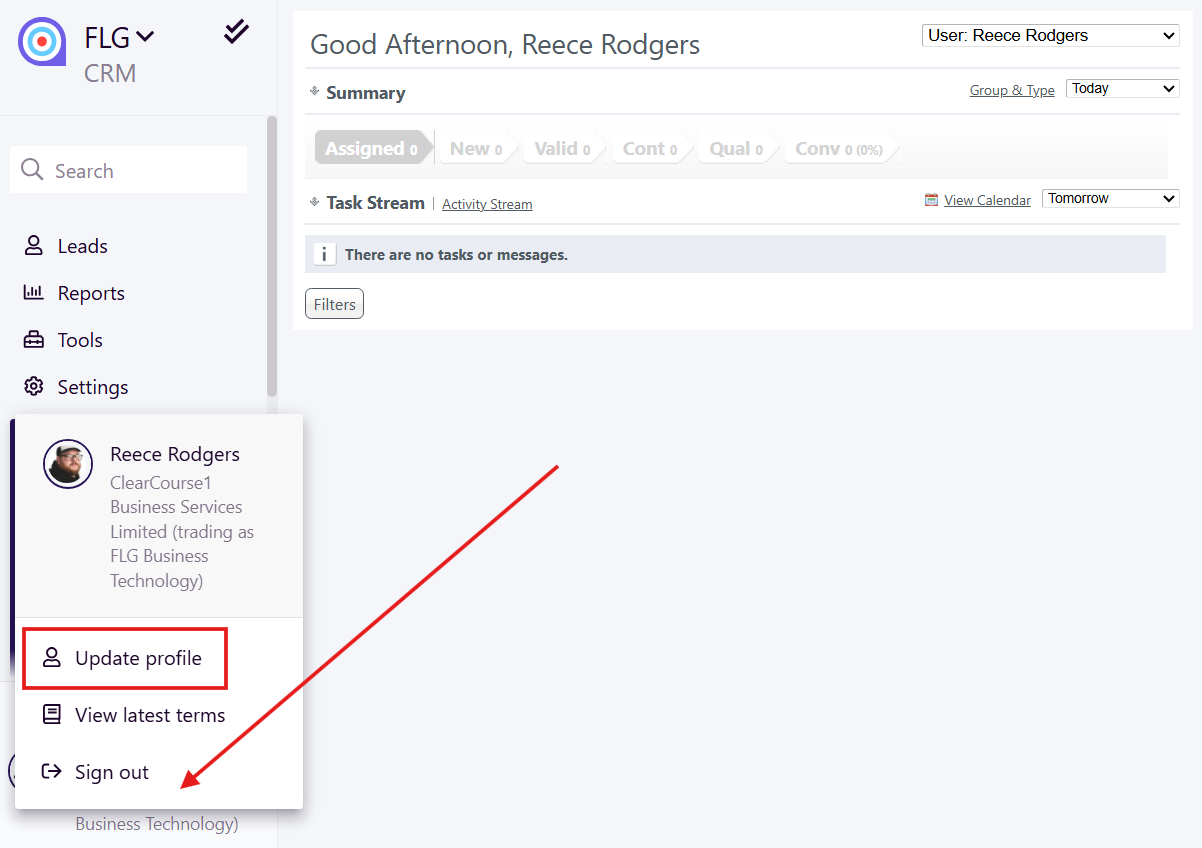
For an individual user to set up their Multi-Factor Authentication on FLG, they need to update their profile by clicking their name/logo in the bottom left corner and selecting Update Profile
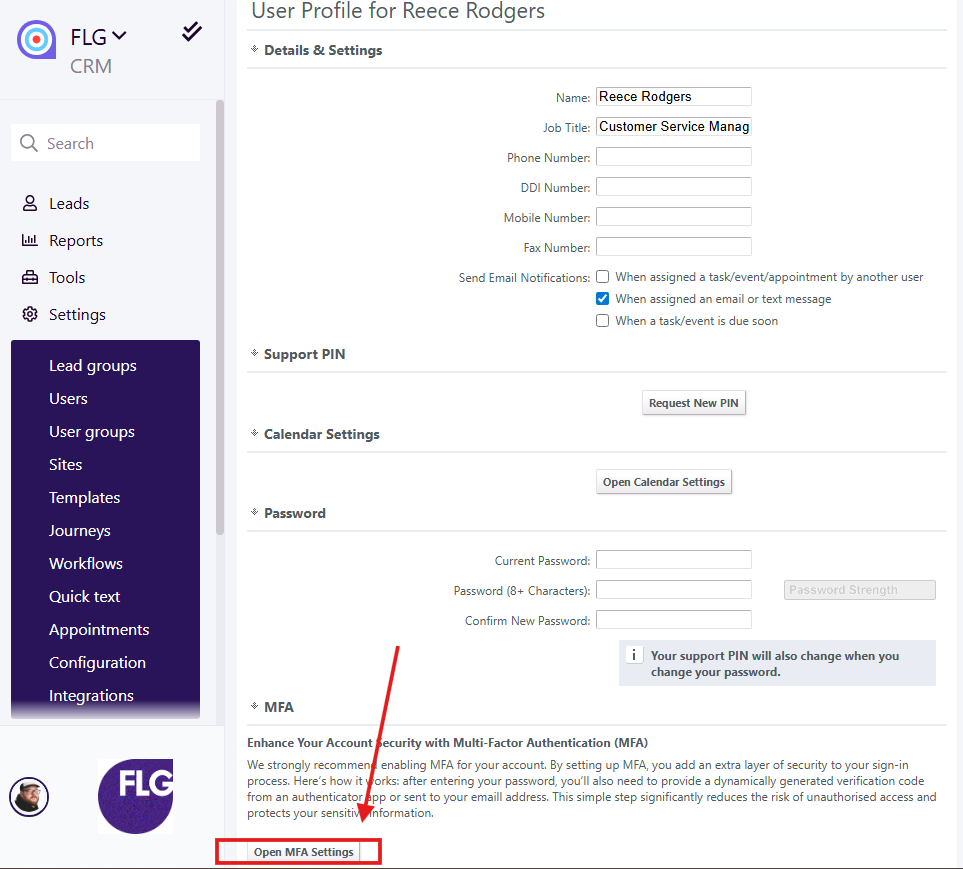
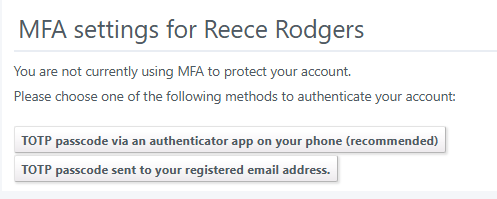
IF you then Open MFA Settings, you will have the option to set up Multi-Factor Authentication via an authenticator app, or to get a passcode sent to your registered email address.
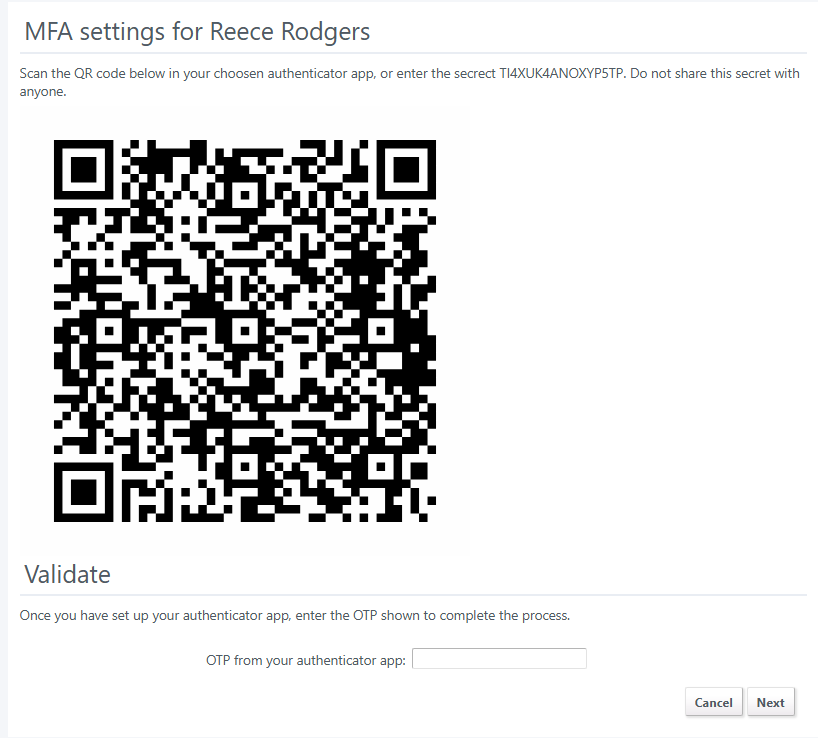
If you choose to set it up via an app you will be instructed via this screen:
If needed, Admin users can remove Multi-Factor Authentication via the users page (Settings > Users)

Admin users can also remove Multi-Factor Authentication for Partners/Introducers. This is done via Partners > Details
Was this article helpful?
That’s Great!
Thank you for your feedback
Sorry! We couldn't be helpful
Thank you for your feedback
Feedback sent
We appreciate your effort and will try to fix the article